
Office & sales

XLS import, machine integration & exports for glass production

From XLS in, through machines, to accounting out - eliminate manual data entry across the whole flow. Per-customer templates that recurring customers fill in once, machine outputs ready for Optima OptyWay, Intermac PerfectCut and Boza frame benders.
en__xls import__desktop scaled
The time-saver

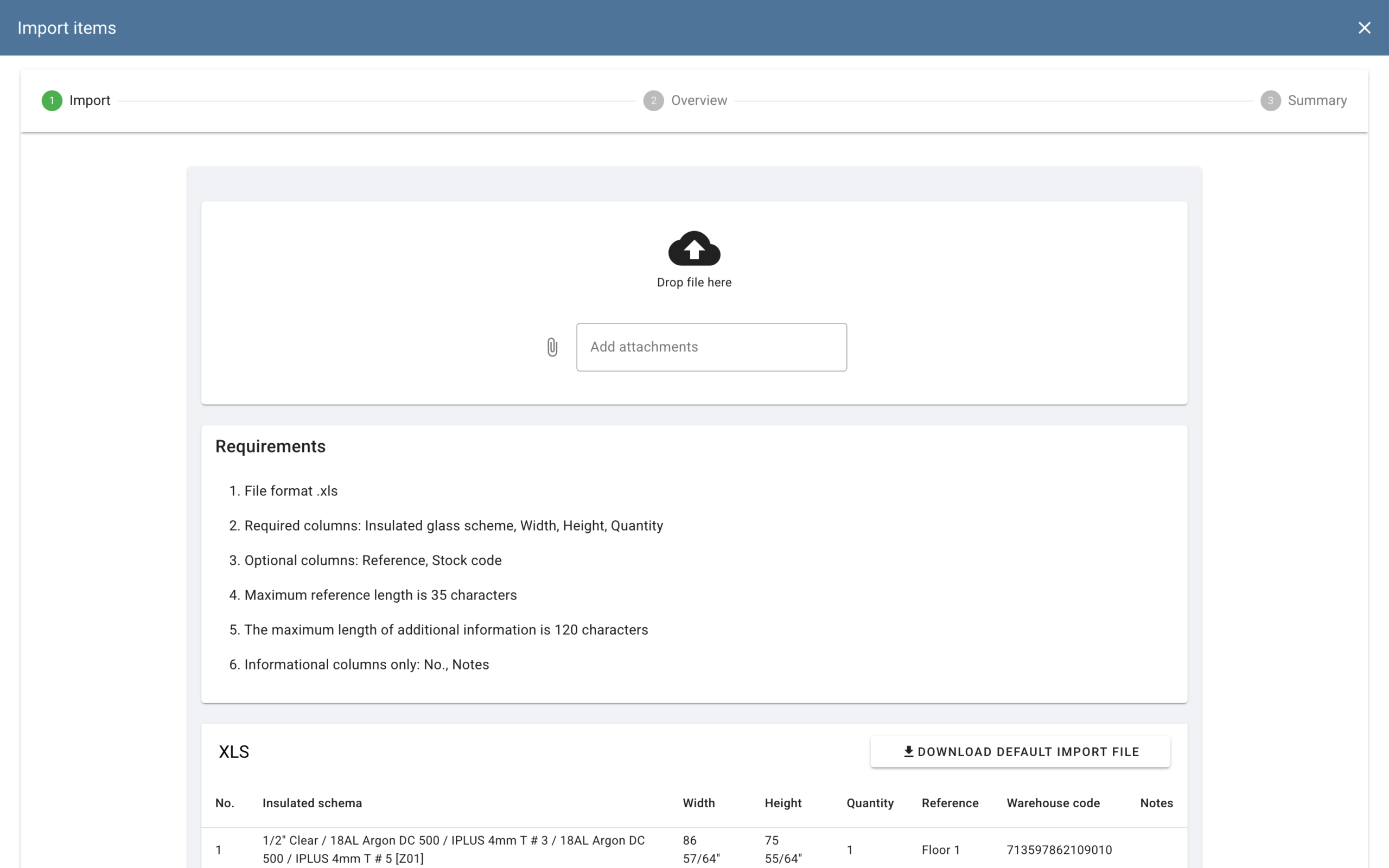
XLS import - per-customer templates, mapping & validation

Recurring customers send orders in the same XLS format every week. Set up the column mapping once per customer; from then on, imports take seconds instead of hours. The mapping lives on the customer record, so anyone in the office can drop the file in and run the import.

service_2_1

Column mapping per customer

Set up once per customer file, reuse forever - stored on the customer record and applied automatically the next time their XLS arrives.

service_2_2

Validation before commit

Mismatched columns, missing fields, unknown materials or invalid dimensions are flagged. Fix the file or override per line, then run the import.

Machine integration

Machine XLS exports - Optima OptyWay, Intermac PerfectCut, Boza

Three supported integrations today - two for cutting and one for frame bending. MonitGlass generates the right XLS for the right machine, packaged in a ZIP with companion process labels.

service_2_1

Optima OptyWay integration

OptyWay drives glass cutting machines from CAD nesting. MonitGlass exports an OptyWay-compatible ZIP with the geometry references the CAD module needs. The operator uploads it into OptyWay - same positions, dimensions and materials as the ERP.

service_2_2

Intermac PerfectCut shapecut integration

PerfectCut optimizes shape-cut layouts for minimal glass waste. MonitGlass exports each piece with geometry, material grade and quantity in the layout PerfectCut expects.

service_6_1

Boza frame bender integration

Boza frame benders bend warm-edge spacer profiles for IGU. MonitGlass generates a Boza-compatible XLS with frame dimensions, profile types and quantities for IGU orders currently planned, grouped onto delivery racks.

Your machine

Don't see your machine? We add it as part of onboarding

If your machine isn't on the list, send us the XLS format it reads plus a sample file. In most cases we add the new integration as part of onboarding scope - not a separate custom-development project.

Works with

Related modules

Order management

Where an accepted quote becomes an order and runs the lifecycle.

QR labels & prints

Machine XLS ZIPs include process labels - the same labels printed on the floor for scan-in / scan-out tracking.

Accounting export

Per-order settlement summary for accounting.

FAQ

XLS & machine integration - common questions

Three integrations today: Optima OptyWay and Intermac PerfectCut for cutting; Boza for frame bending (warm-edge spacers for IGU). Output is XLS - sometimes in a ZIP with companion process labels - that the machines import directly. If your machine isn't on the list, we add it: in most cases as part of onboarding scope.

Yes - per-order settlement summary XLS captures price, cost and result for each settled order. Drop it into your accounting workflow as-is, or pre-process if your accountant needs a particular schema.


For most cutting and frame-bending lines, adding a new machine is part of onboarding scope - typically days to weeks, depending on machine complexity and how clean the spec is. Send us a sample XLS the machine reads plus the file the operator currently hand-fills, and we'll scope it in the discovery call.